
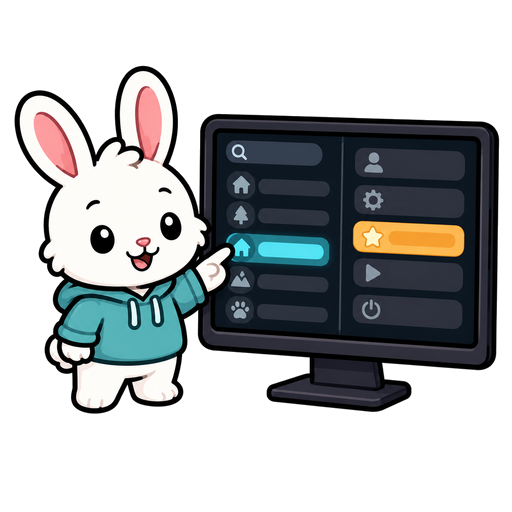
The TUI client

The TUI is the panel-based terminal client. It shows the current room on the left and your player controls on the right, so you can play without memorizing command syntax.

It is built with Textual, so run it in a real terminal. It can host a world in this process or connect to a running server over HTTP.

Launch

For a first local game with local Ollama and the Apple Crossing tutorial:

ollama pull qwen3.5:9b  # one-time model download
scripts/quickstart-tui

Host a local world:

uv run --all-extras bunnyland tui

Connect to a running server:

uv run --all-extras bunnyland tui --server http://localhost:8765

If the server requires player authentication, the TUI opens a sign-in screen with username and masked password fields. Successful sign-in resumes the connection automatically. For scripts or preconfigured terminals, the launch-time options remain available:

uv run --all-extras bunnyland tui --server https://play.example \
  --username player --token-file ~/.config/bunnyland/player.token

With --username, the TUI asks for the password in the terminal before opening. Use --password-stdin for non-interactive input. --token-file is opt-in credential persistence: the client stores the issued bearer token there with mode 0600 and reuses and rotates it on later launches. Do not share that file.

List available demo worlds and generators:

uv run --all-extras bunnyland tui --list-generators

Useful local options include --seed, --generator, --claim-fallback, and --claim-timeout-minutes. Add --llm to pass the configured terminal provider and model to the local generator and autonomous character dispatcher; this remains entirely in-process and does not start an HTTP server. Before loading a local plugin world or joining a flagged remote world, the TUI requires you to accept its content warning. See Content warnings for saved and command-line ignore options. It then shows the world's title and welcome or message-of-the-day text. The introduction screen can remember a skip for that world/server pair or for every world/server; both choices are saved in the shared terminal configuration and do not bypass content warnings.

On the first local launch, the TUI asks whether character chat should use local Ollama, Ollama Cloud, OpenRouter, or remain disabled. The choice and model are saved in $XDG_CONFIG_HOME/bunnyland/terminal.yml (normally ~/.config/bunnyland/terminal.yml). API keys are never written there. See Terminal character chat for provider setup and command-line overrides. Remote sessions use the server's chat provider and skip this setup screen.

Pick a player

Use the player menu at the top of the right panel. Selecting a character claims control for this TUI session, updates the action list, and follows that character's current room.

The status line shows the backend, world clock, and current player. If the server connection drops, the activity log reports the failure once and reports when it reconnects.

Read the room

The left panel has three sections:

Activity entries may include short disclosed fact lines from the same perspective-aware projection used by detailed inspection. Routine/default facts stay hidden during ordinary activity and become visible in a detailed status or inspection view.

The TUI always shows your own character's room. A door names its direction, not where it leads — you learn that by going through it. When your character moves through an exit, the server sends a destination-room summary so the TUI immediately shows what is in the new room.

Use actions

The right panel shows your action and focus points, a search box, the action list, and queued actions.

Type in Search actions to filter the action list by title, tool name, or command type. Use Clear to reset the filter.

Choose an action from the list. Actions with arguments open a single form that collects every required field at once:

Only one action form is open at a time. The server still validates every submitted command. If the room changes, a target becomes unreachable, or a command is no longer valid, the server rejects it even if the TUI had shown the option.

The list comes entirely from the server's current action registry. If action metadata is unavailable during connection or reconnection, the TUI disables the action area until a fresh character projection arrives; it does not fall back to a hard-coded verb list.

Queued actions

If you select an action before you have enough points, the TUI submits it with the normal queue-on-insufficient-points behavior. The queued-action panel shows pending commands for the selected character, including their lane, cost, and payload details when available.

Queued commands are character-scoped. Switching players updates the queue panel to the new character's queue.

Character sheets and chat

Select a visible character, then choose Sheet or press s to open a scrollable native character sheet. With no character target, the current player is used. The sheet includes the character id, room, controller, action/focus points, portrait link, identity and biography, status and metrics, profile details, skills, traits, relationships, injuries, and notes. It works in both local and remote sessions without opening a browser.

Choose Chat or press c to open a conversation. The TUI uses the selected visible character, then the current player, and otherwise presents a character picker. Provider work runs asynchronously: the transcript stays usable while a reply or game action is pending, and the screen reports queued tools, action outcomes, and provider errors.

Keyboard controls

KeyEffect
rrefresh your view now
sopen the selected or current character sheet
cchat with the selected or current character
qquit
Escclose the current form, sheet, or conversation

Example session

$ uv run --all-extras bunnyland tui --generator apartment-demo
  1. Pick a character from the player menu.
  2. Search for move, choose Move, and select a door.
  3. Read the destination room summary.
  4. Search for take, choose Take, and select a nearby item.
  5. Watch the queued-action panel if you run out of points.